On the same day I bought my first BrickHeadz sets, I created a Google Sheets file where I started noting down details about my purchases. Over time, as my collection started to grow, I added new elements, statistics and so on, and today I have a nice basic source of information about the state of my collection. Today I’d like to share my file with you, and maybe it will help someone keep track of information about their own collection.
You’ll find the file here (just make a copy in your own account), but before I describe it, I have to point out in fairness that you can also keep track of your collection on brickset.com. I won’t describe what that site can do here, and it can do an impressive amount. Personally, I update the information about my collection there every now and then, but day to day I still use my own Excel.
A ready-to-use list of sets
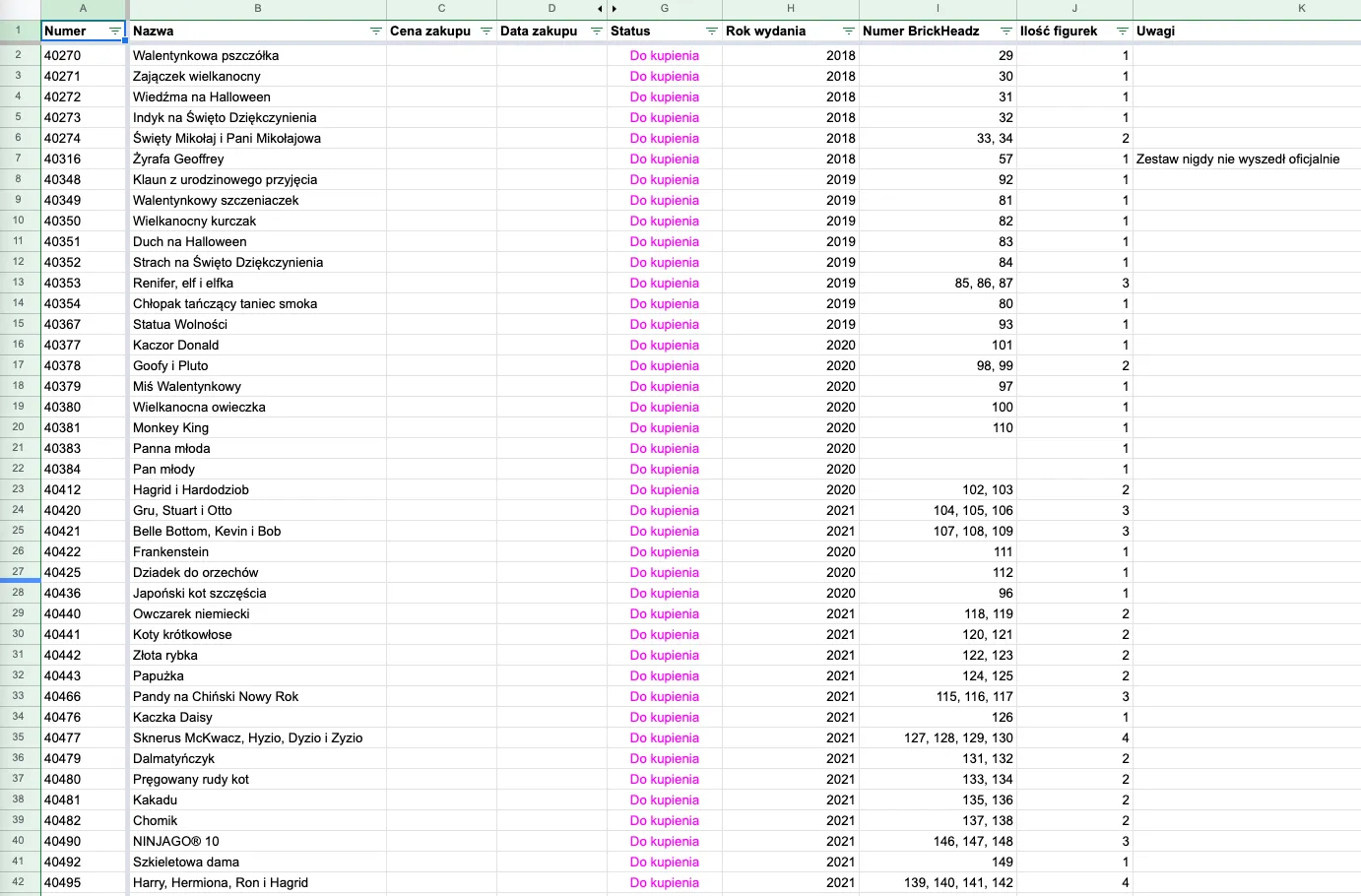
In my spreadsheet you’ll find several tabs. The first one is the main list of all sets with basic information such as set numbers and names, purchase prices (or current market prices if I haven’t bought the set yet), release years, internal BrickHeadz series numbers and so on. I also mark there whether I have any extra pieces left over from a given set. I don’t mean spare pieces, but the ones left after building the figure in sets such as 41597: Go Brick Me. I’ve also added the columns I need, “Spare instructions” and “Spare stickers”, because to be on the safe side I buy those things when I get the chance. You can add whatever columns you need here. This whole tab is the main place where I manage my collection.
The second tab, “Gadgets”, is for recording information about everything else that isn’t a set. I add information there such as the cost of binders and sleeves or the cost of books I’ve bought.
The third tab, “Other”, is a simple place for notes about other sets that interest me for some reason. It’s entirely up to you what you write down here; this information isn’t taken into account when gathering statistics, so you can put anything in it. I, for example, have information there about sets I should remember, but at this stage they are either totally out of my reach (e.g. Nonnie Inside Tour 2017) or they are two-packs of sets that exist separately.
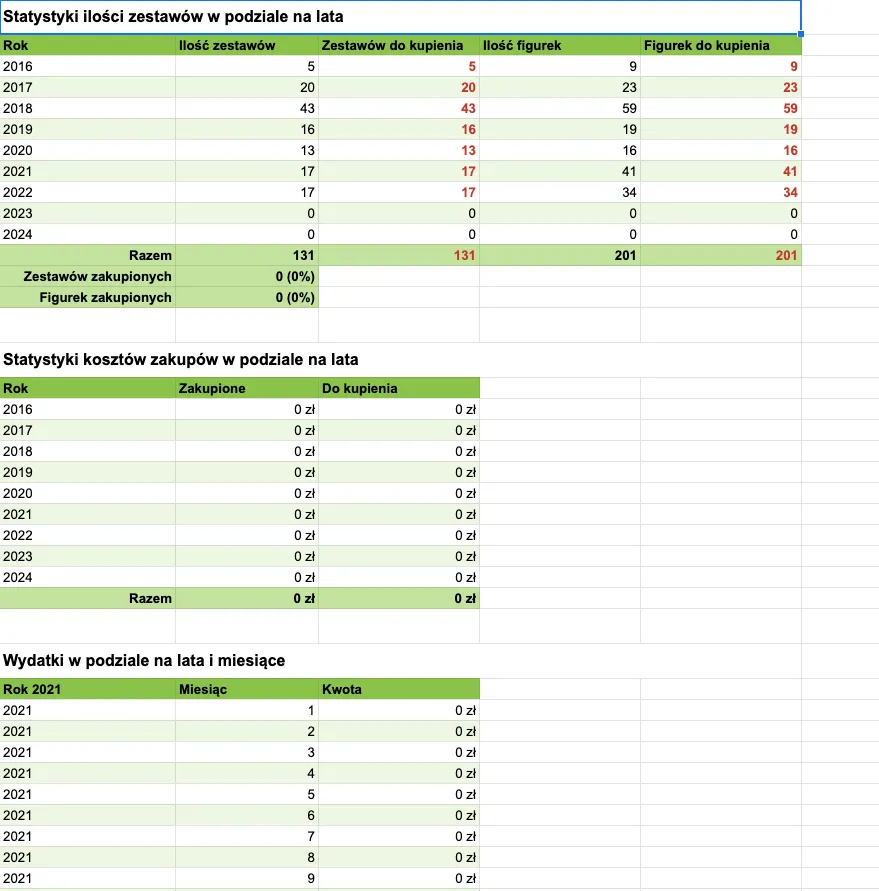
The tab that organises the data about my collection is “Statistics”. This is where I gather information about how many figures were released in a given year, how many of them I already have and how many I’m missing, what budgets I need to complete my collection, and how much I’ve already spent on sets and gadgets. All the information in this tab is generated fully automatically, based on the data entered in the other tabs. The only thing is that once a year you have to add a new cost table for the next year, but that’s dead simple (copy, paste and change the year).
While building your collection, it’s inevitable that over time you’ll end up with some sets twice. In my case there are two reasons: either I bought a used set and I’m not happy with its condition, or while making other purchases I took advantage of very attractively priced offers and now have sets to resell. It’s good to keep this organised, and that’s what the “Duplicates” tab is for.
Finally there’s the “Interesting links” tab, and once again it’s a simple notepad format where I put things I’d like to save for the future in some way. There’s no complicated logic here, and you can freely drop this tab if you have other ways of keeping notes like these.